Protection overview
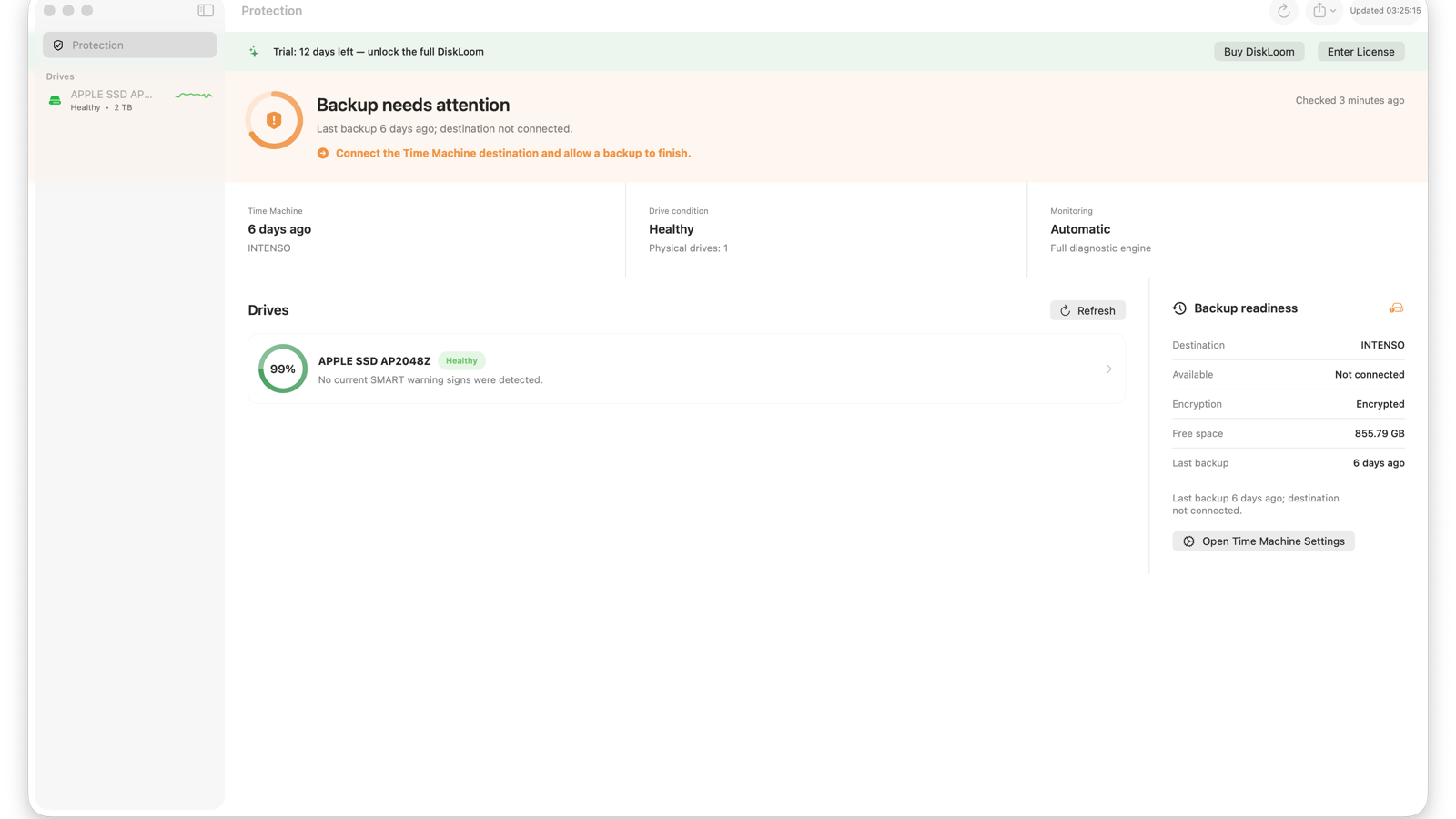
See drive condition, Time Machine recency, and the next action in one quiet view.
 DiskLoom
Drive health for macOS
Know what is changing inside your drives and whether your latest backup is ready before a warning becomes a failure.
Launch offer · First 100 licenses
Save €10 during launch. One payment includes a 14-day trial, three Mac activations, and every DiskLoom 1.x update.
Early warning
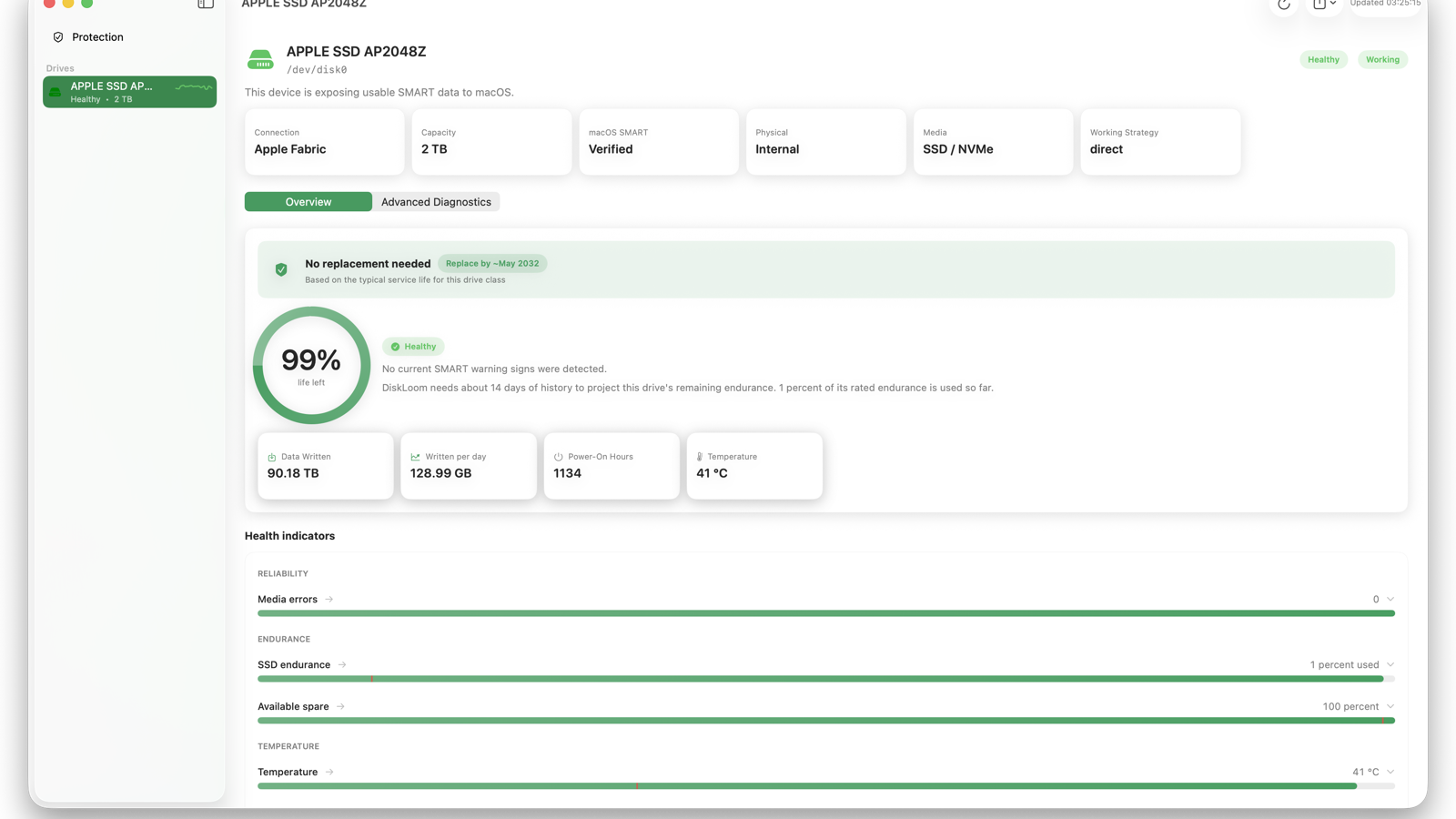
DiskLoom tracks temperature, endurance, spare capacity, media errors, unsafe shutdowns, connection events, and backup readiness. Every warning explains the signal and rule that triggered it, while model-specific endurance references add useful context where available.
A closer look
Built for daily use
See drive condition, Time Machine recency, and the next action in one quiet view.
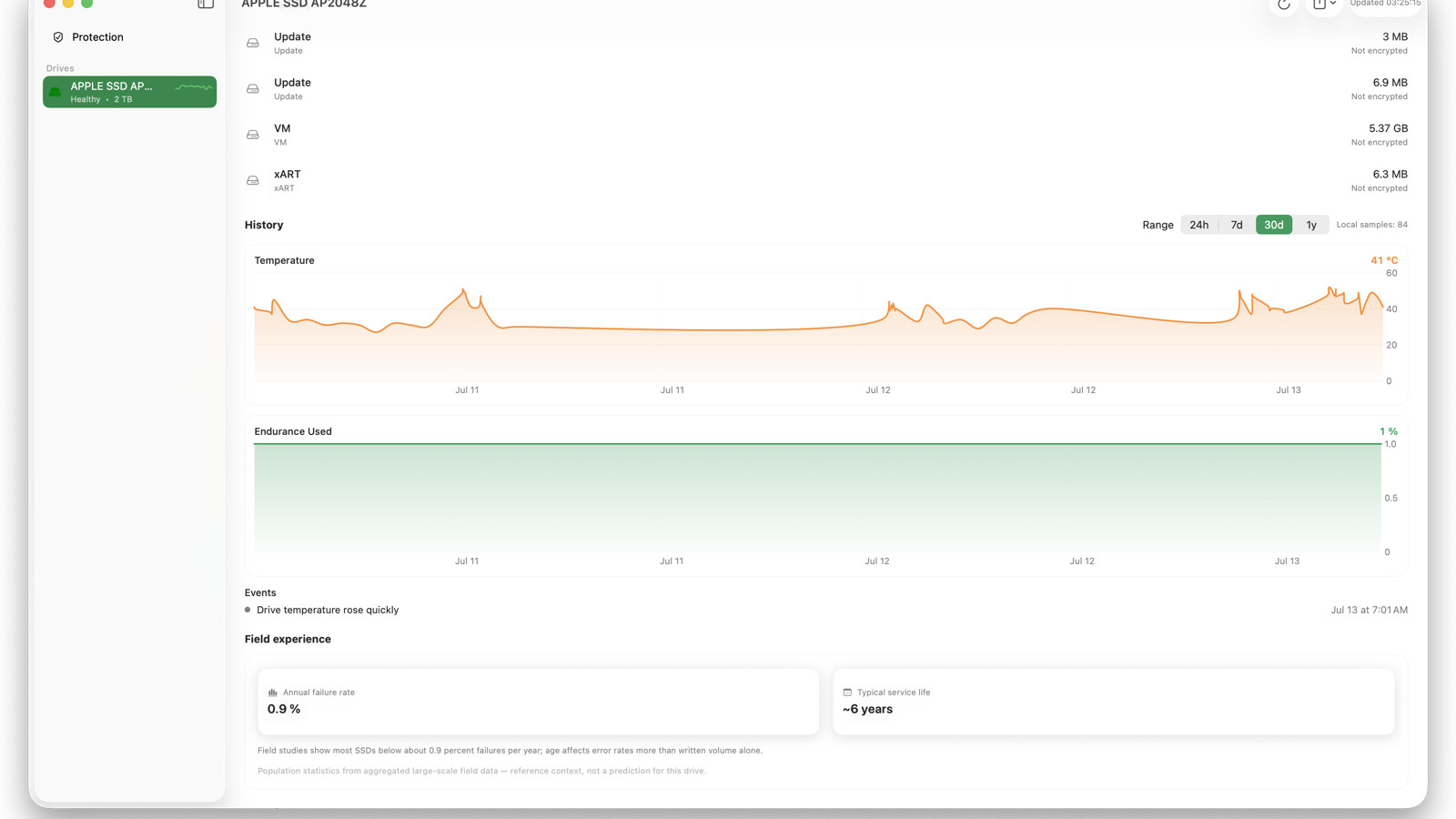
Compare 24 hours, 7 days, 30 days, or one year with warning and connection markers.
Inspect SMART attributes, logs, self-tests, capabilities, lifetime evidence, and privacy-redacted reports.
See DiskLoom in action
Short, silent walkthroughs of the information DiskLoom puts first.
Drive condition and Time Machine readiness in one view.
Wear, temperature, errors, and evidence-based guidance.
Temperature and endurance trends with event markers.
A verified result when telemetry is available, an honest unknown when it is not.
Backup age, destination availability, encryption, and the next action.
Why DiskLoom
Unknown is never dressed up as healthy. A USB bridge that hides SMART is reported as a limitation — not a failing disk.
Drive health and your latest Time Machine backup in one view, so you know you're covered before something breaks.
Reads Apple's internal NVMe telemetry directly — temperature, wear, spare, and errors — with no drivers or Homebrew.
Combines reported SSD wear, write rate, power-on age, and bundled manufacturer endurance references. Replacement windows include their evidence and confidence.
Population failure rates and typical service life add perspective. They are always labeled as reference context, never a prediction for your drive.
Measure sequential read throughput without creating test files or writing to the selected drive.
Telemetry stays on your Mac. The internet is used only for license checks and updates, and exported reports are redacted.
Keep the worst current condition visible at a glance and receive a compact weekly health summary.
A universal diagnostics engine is bundled. Nothing to install and no Rosetta required on Apple silicon or Intel.
Export a polished PDF health report, CSV history, or a privacy-redacted diagnostic report for support.
Honest compatibility
When a USB enclosure or macOS transport does not expose SMART commands, DiskLoom reports that limitation separately from drive condition. It never invents a health result.
Learn about external drivesPersonal license
€39€29
Launch price for the first 100 licenses. One payment. Up to three Macs. All DiskLoom 1.x updates included.
Disk health, explained
What Apple NVMe telemetry and SMART can actually tell you.
CompatibilityWhere the bridge, enclosure, and operating system get in the way.
BackupRecency alone is not enough: check destination, encryption, and free space.
Questions
Many USB enclosures don't pass SMART data through to macOS. DiskLoom tries several access methods and, when the bridge blocks it, tells you clearly instead of guessing. Internal drives and many quality enclosures are fully supported.
DiskLoom is strictly read-only. Even its optional speed test reads existing files and never creates test data, formats, or modifies drives, partitions, or firmware.
The regular one-time price is €39. The first 100 launch licenses are €29. Either covers up to three Mac activations and every DiskLoom 1.x update, with no subscription.
Yes. A 14-day, full-featured trial is built into the app so you can confirm DiskLoom reads your drives before paying. Gumroad purchases also include a 30-day money-back guarantee.
macOS 14 (Sonoma) or later, on Apple silicon or Intel. The diagnostics engine is bundled — no Homebrew or Rosetta needed.
SMART is the health data your drive keeps about itself — temperature, wear, reallocated sectors, and errors. DiskLoom reads it, scores it, and explains what each signal means.