 DiskLoom
Four checks that belong together
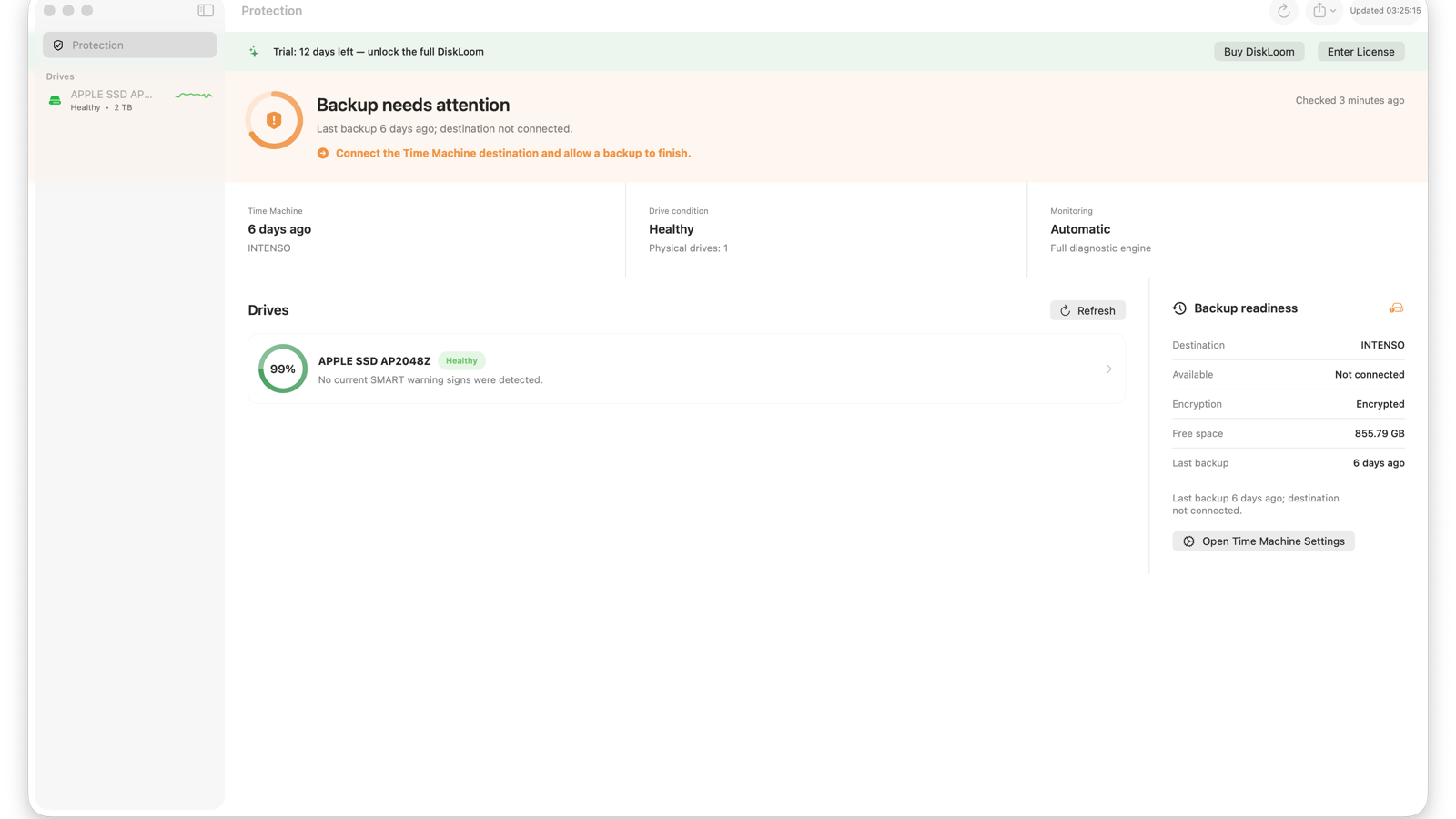
1. When did the last backup finish?
The useful threshold depends on how quickly your files change. A six-day-old backup may be acceptable for an archive Mac and unacceptable for active client work.
2. Is the destination available?
A recent backup can quietly become stale when a portable disk stays disconnected or a network destination disappears.
3. Is there enough free space?
Time Machine manages older snapshots automatically, but capacity pressure and destination problems still deserve visibility.
4. Is the backup encrypted?
An unencrypted portable backup can expose the same personal data you protected against drive failure.
Drive health is not backup health
A healthy SSD can fail without warning, and a perfect Time Machine destination is not useful if it has been disconnected for weeks. Treat physical-drive condition and backup readiness as separate evidence that contributes to one protection decision.
A simple routine
- Keep automatic backups enabled.
- Connect or reach the destination often enough for your workload.
- Review the latest completed backup, not only the configured destination.
- Use encryption for portable or shared destinations.
- Test restoring an important file occasionally.