 Belegora
Reminders before your dates
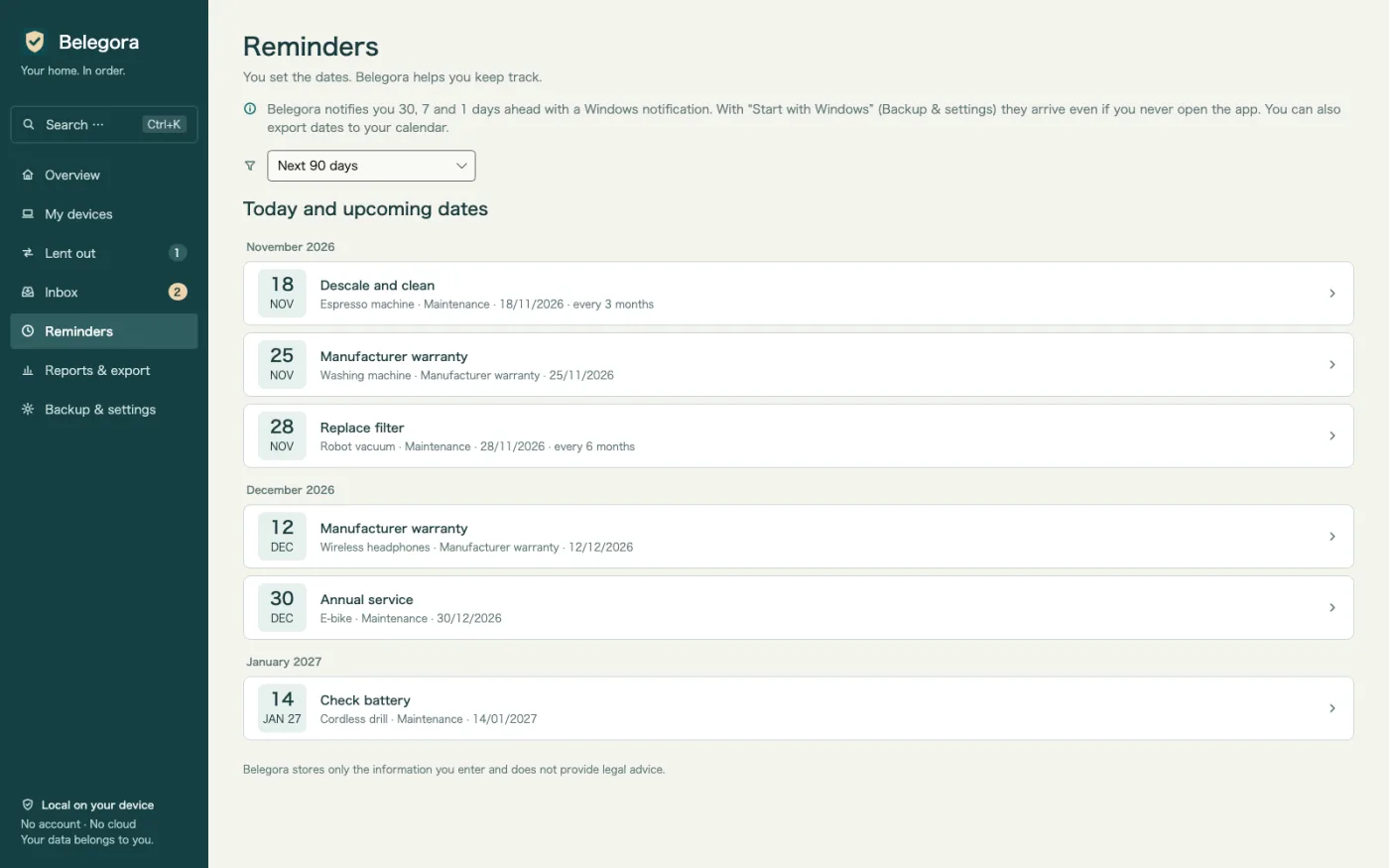
Warranty, returns, insurance, maintenance: Belegora shows a Windows notification as many days ahead as you like.
Warranty and receipt archive for Windows
Battery died after 20 months? Find the receipt, serial number and warranty date in seconds. Send receipts from your phone via QR code, get reminders before your dates, create insurance PDFs. Offline, no account.
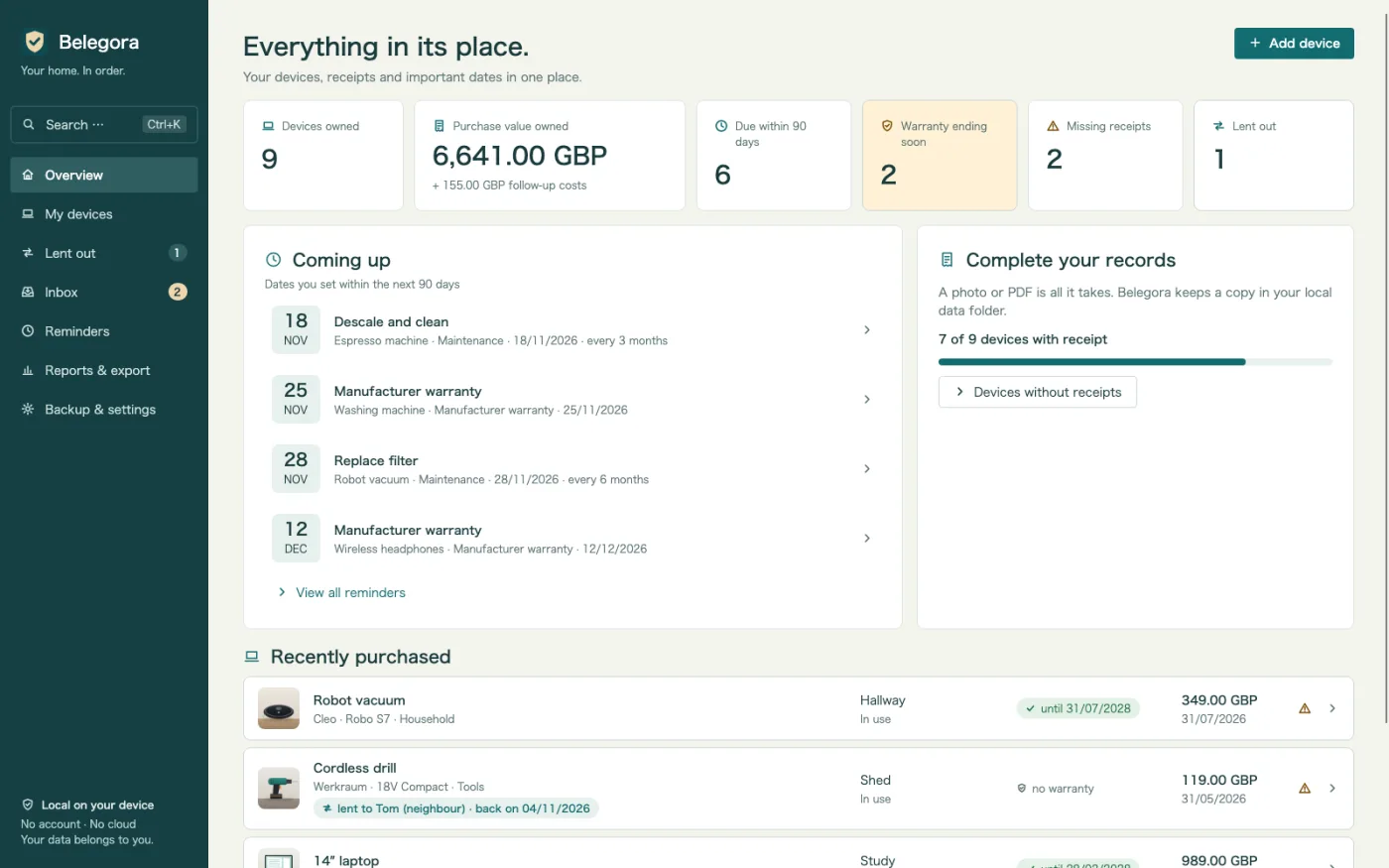
Belegora takes care of the tedious parts: collecting receipts, suggesting details and reminding you before your dates.
Warranty, returns, insurance, maintenance: Belegora shows a Windows notification as many days ahead as you like.
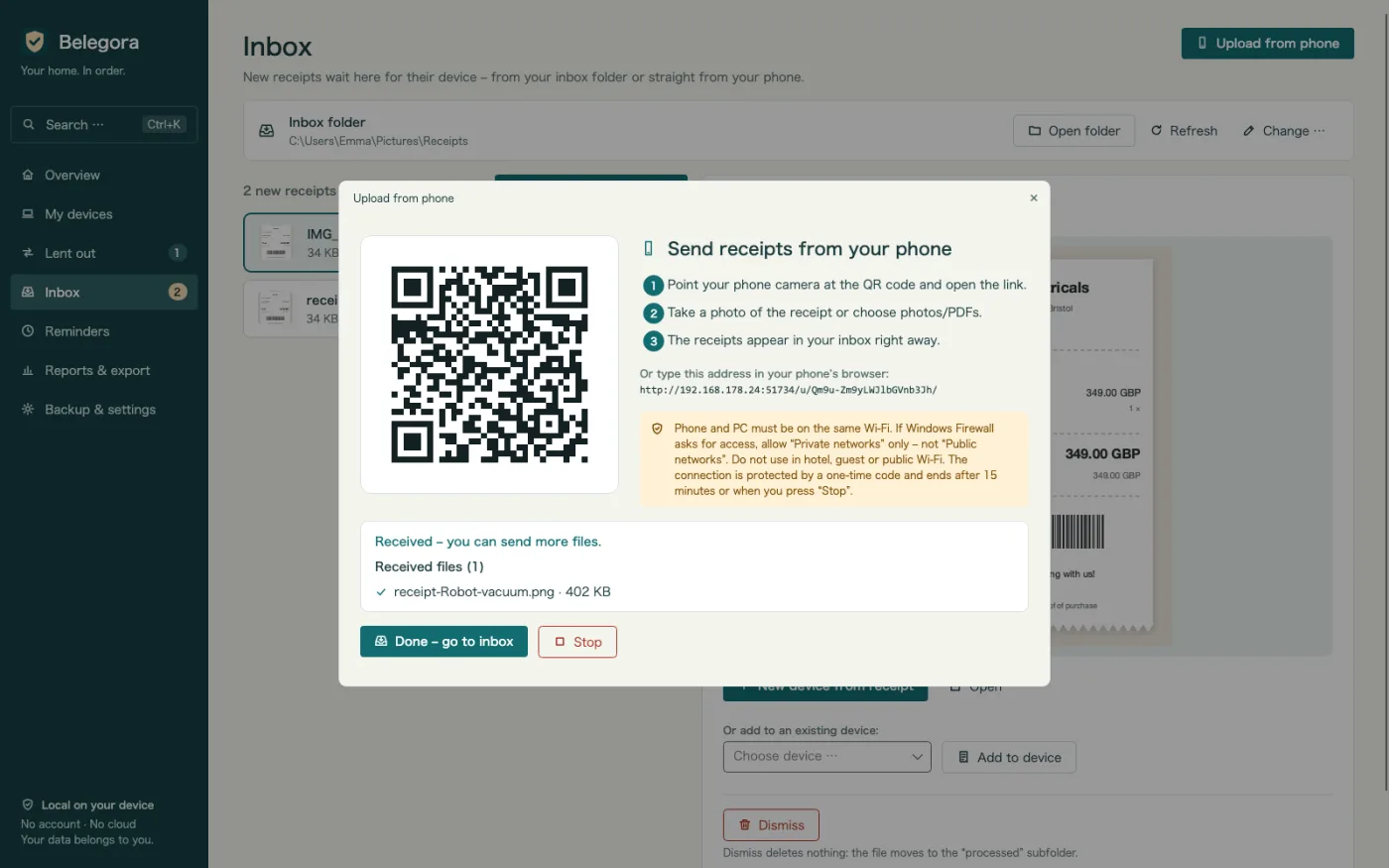
Scan the QR code and upload a photo in your browser. The receipt arrives in your inbox over your Wi-Fi. No cable, cloud or phone app.
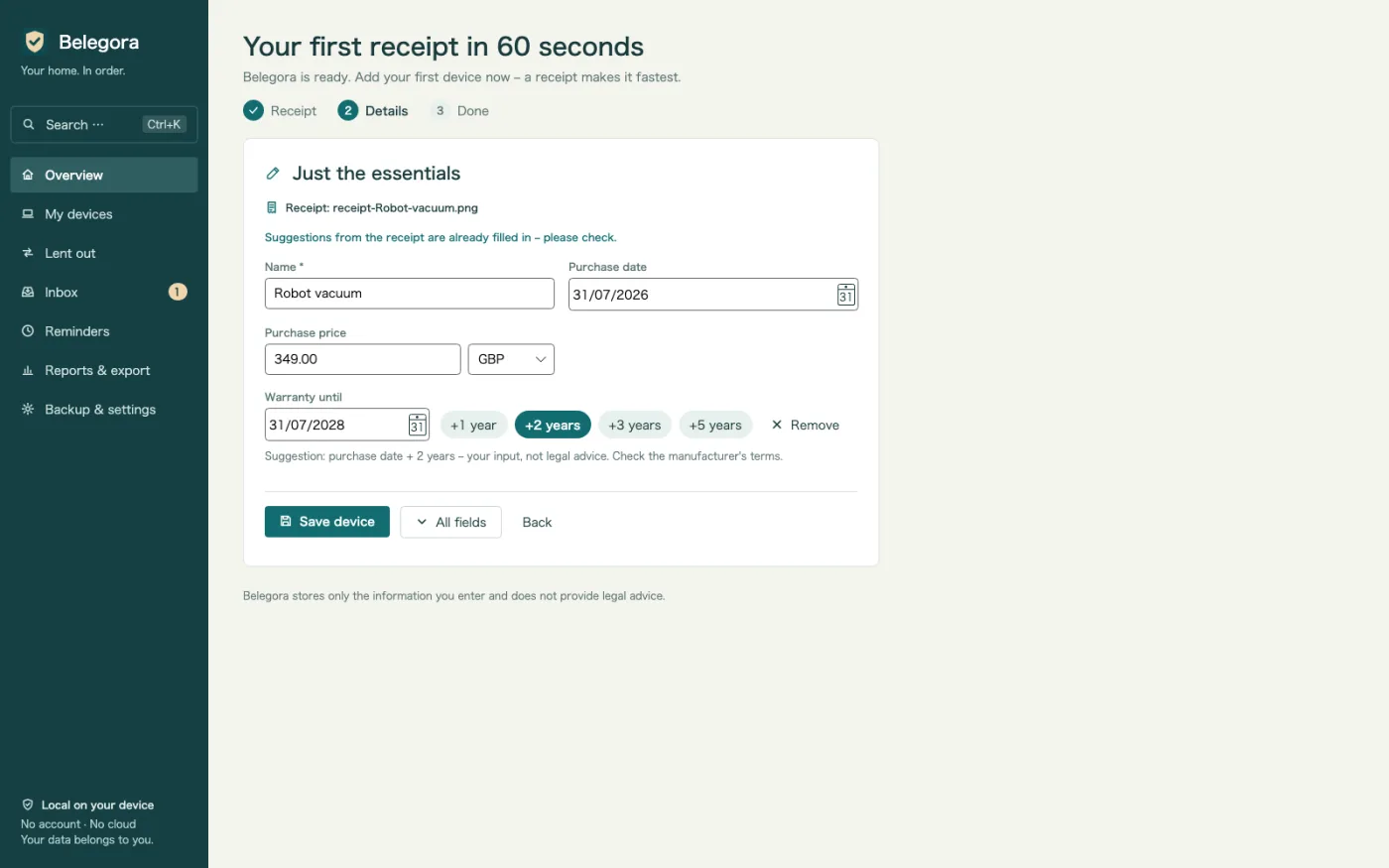
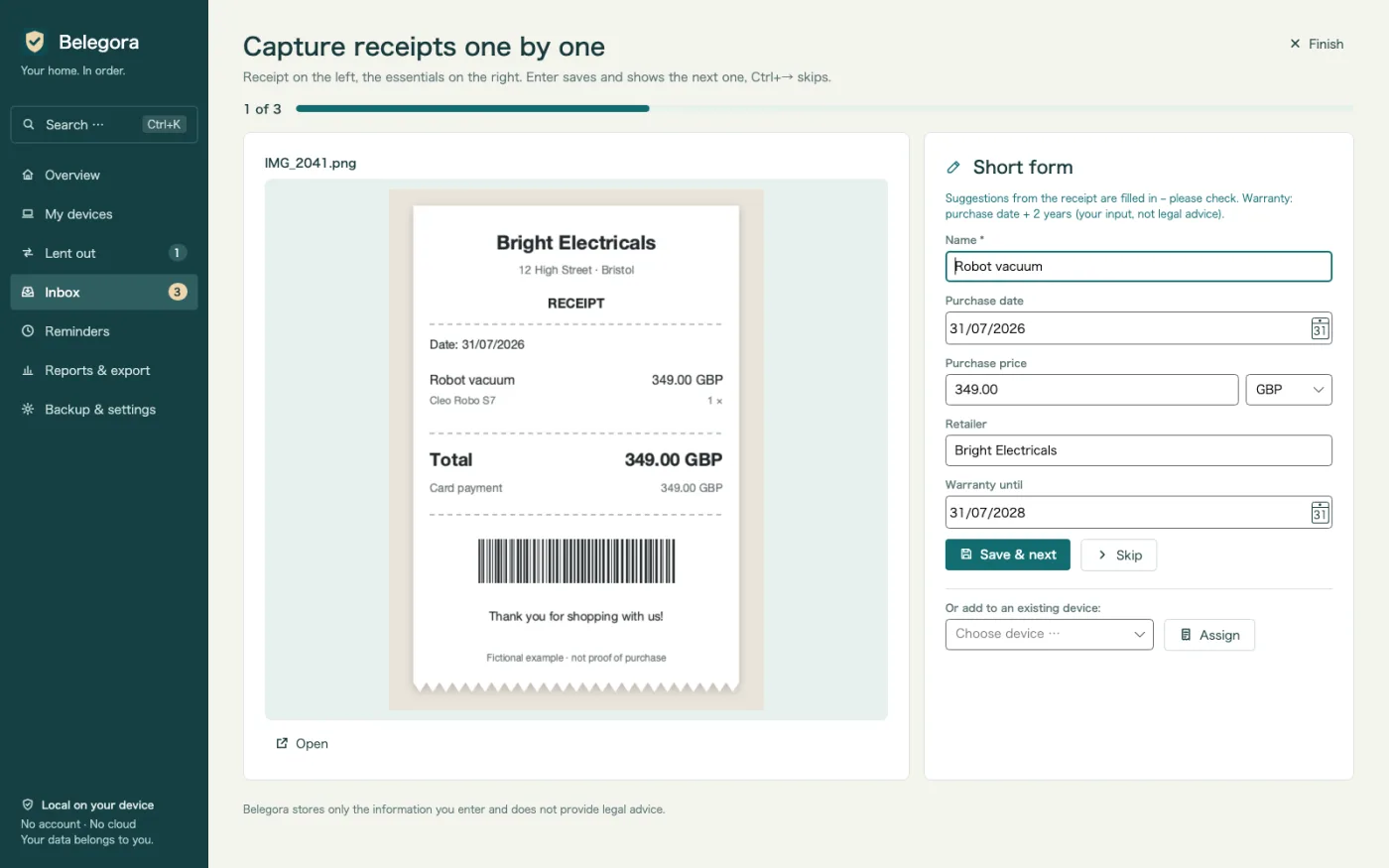
Purchase date, amount and retailer are suggested from the receipt. Review, save, and the device is created in one click.
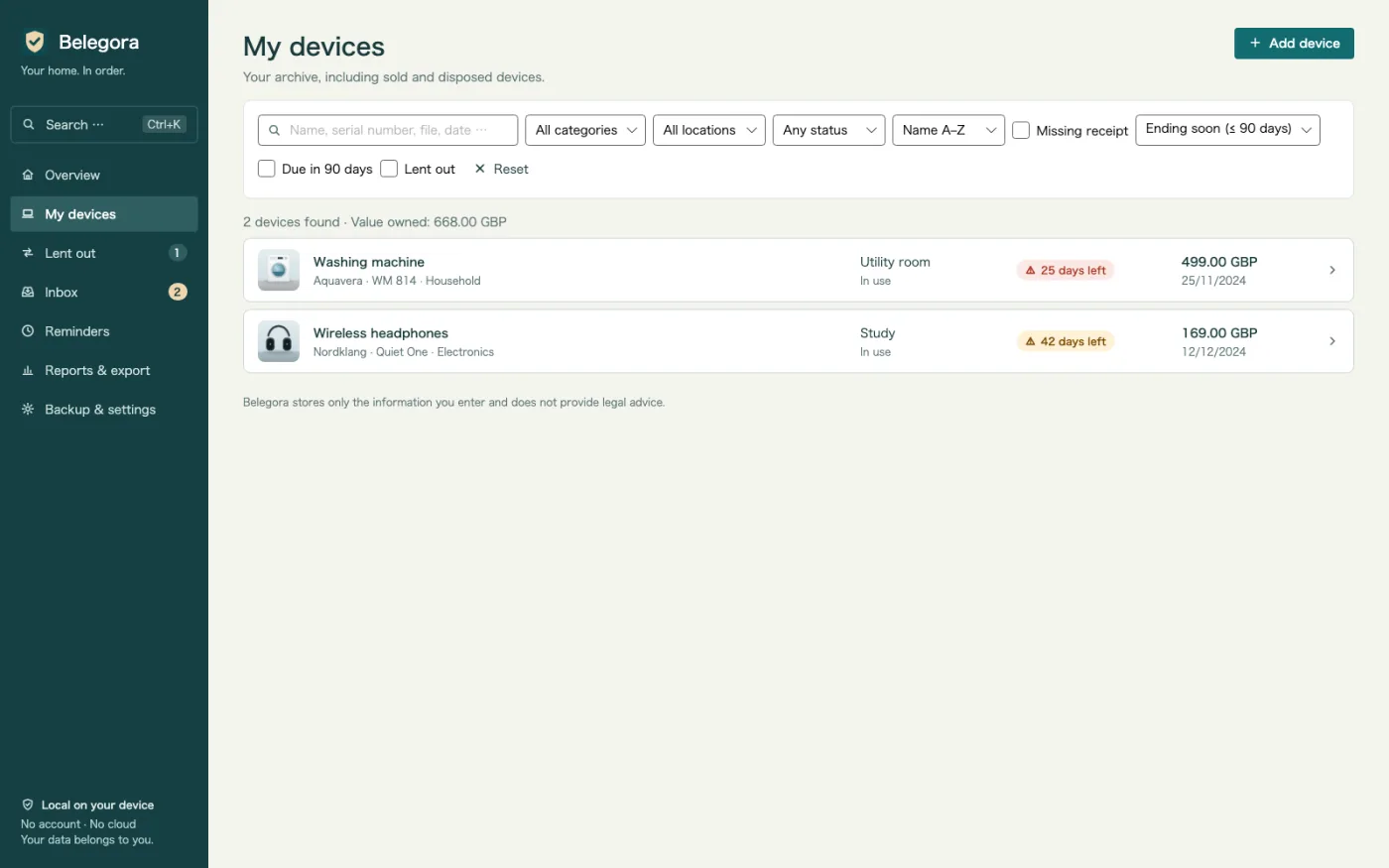
The device list shows at a glance where a warranty ends soon, with a “Warranty until” column.
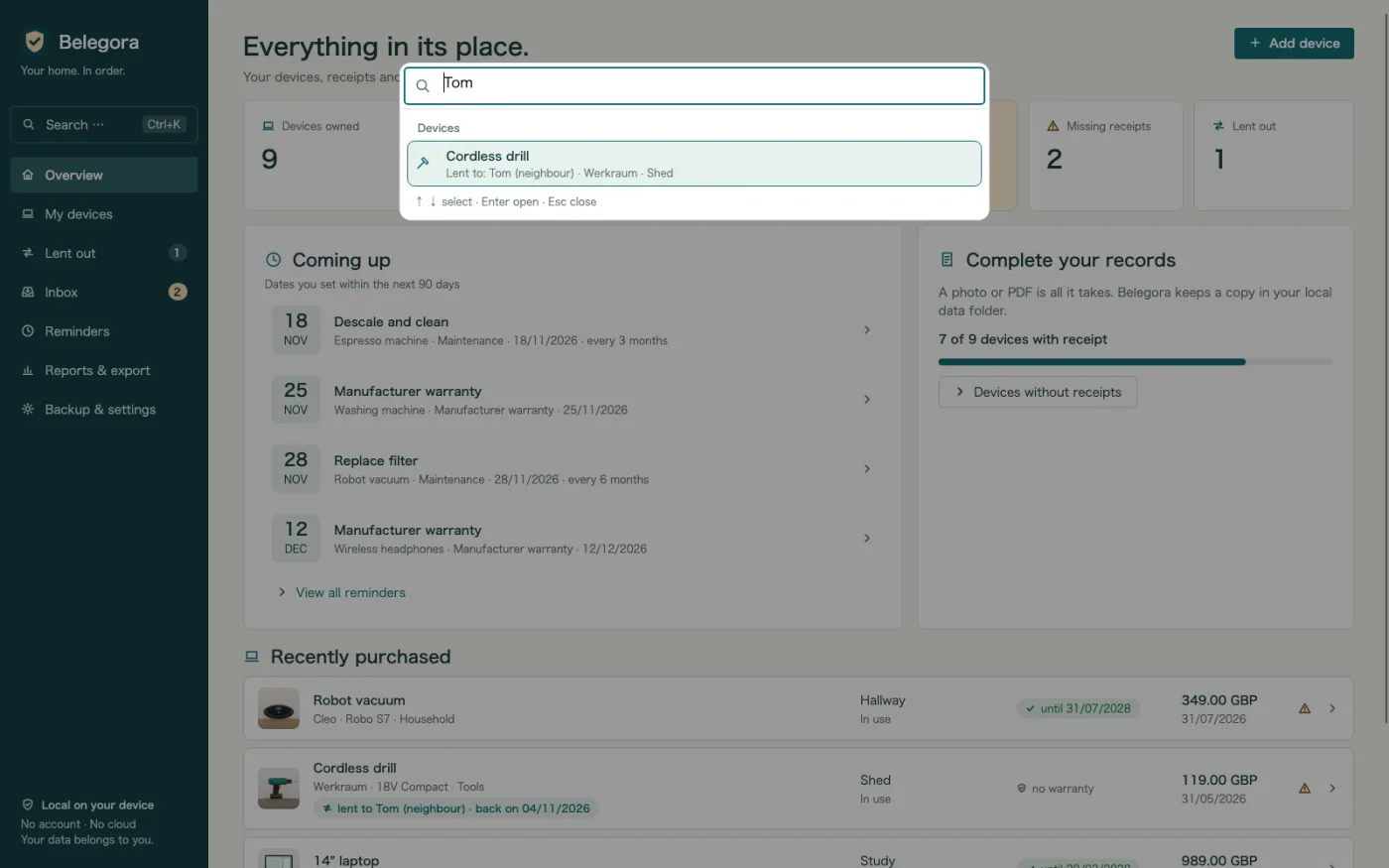
Find any device by name, serial number, retailer, tag, file or borrower, plus actions such as the PDF or a backup – with arrow keys and Enter.
Many receipts one after another: receipt on the left, short form with suggestions on the right. Enter saves, Ctrl+→ skips.
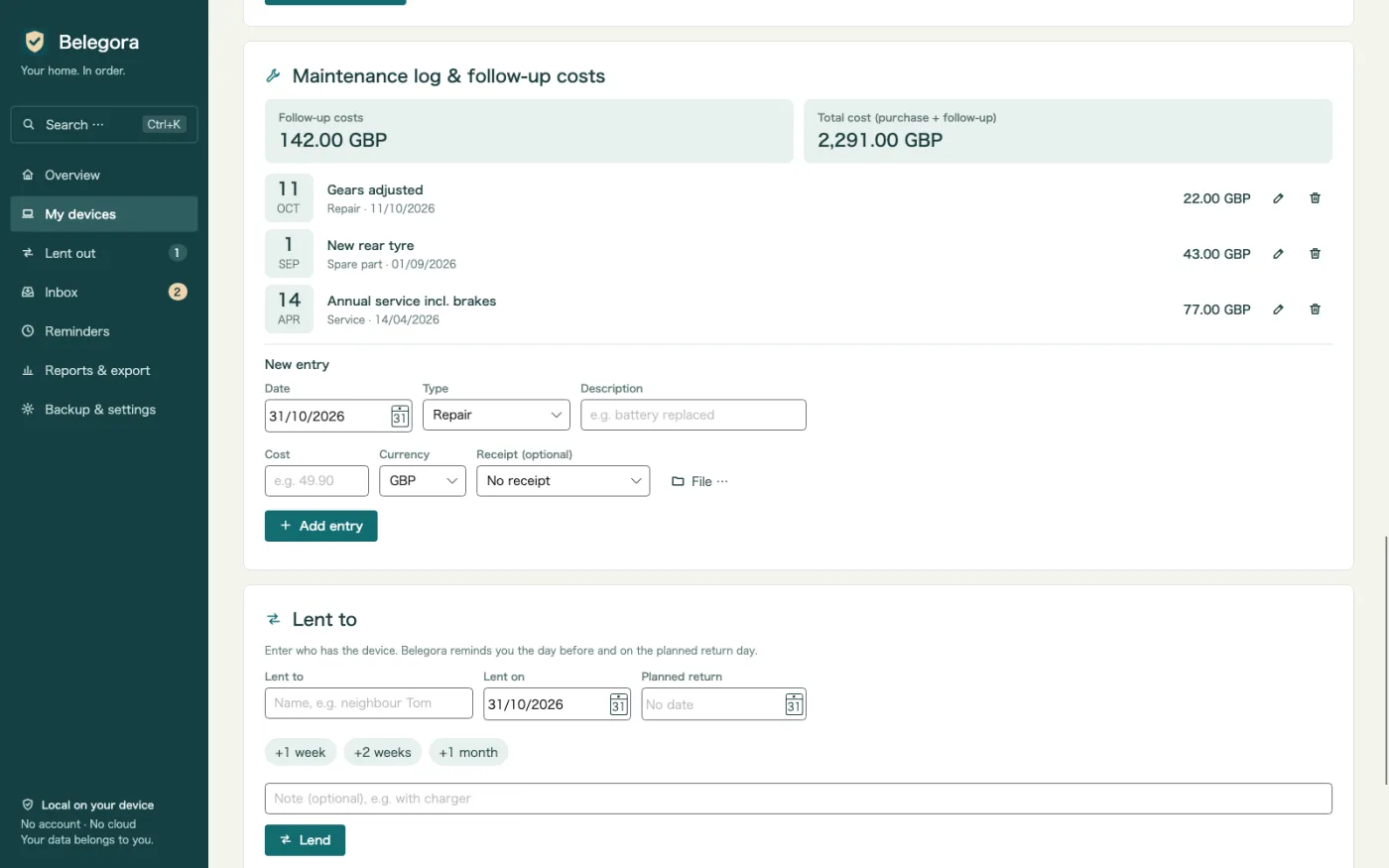
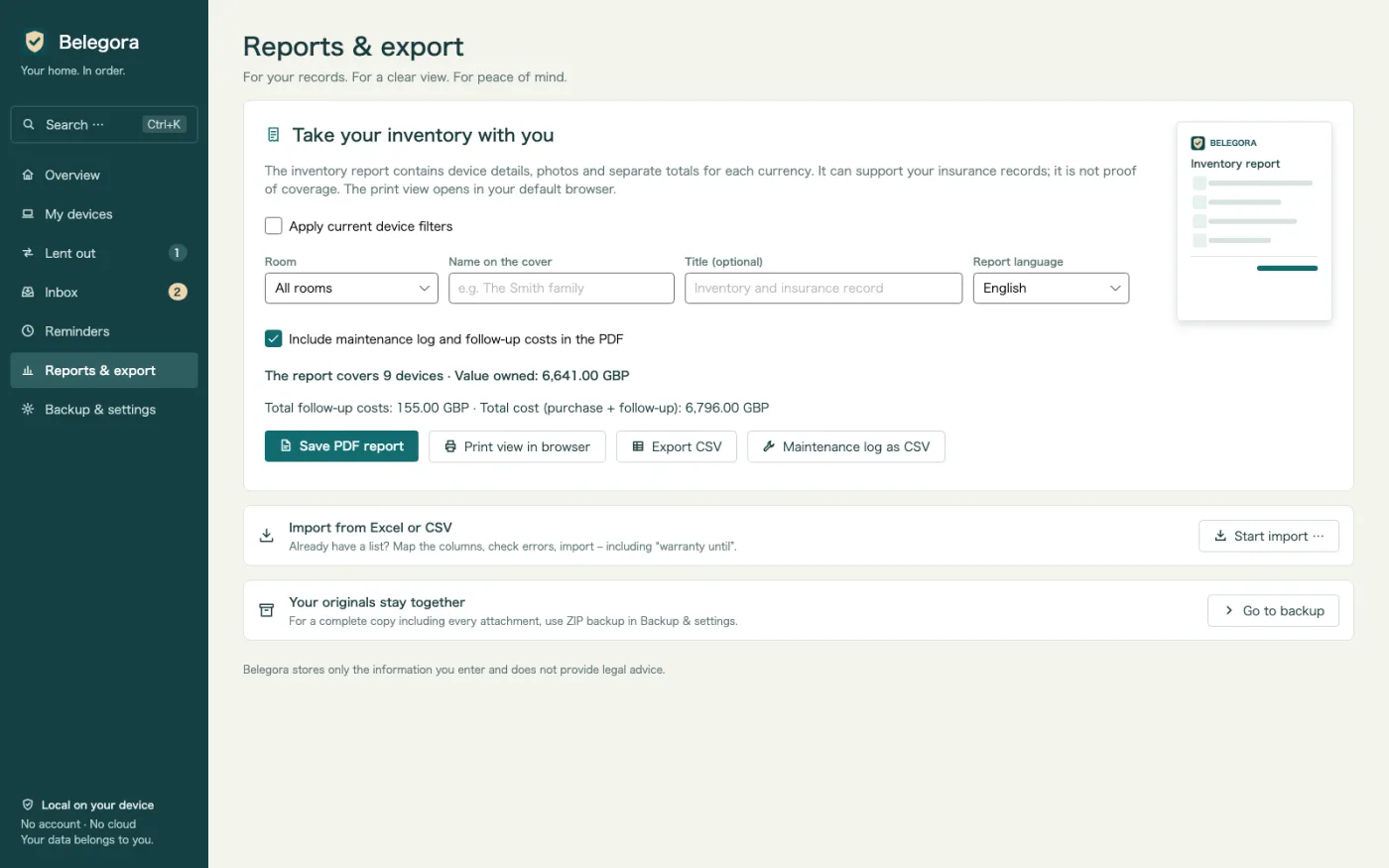
Record repairs, services, spare parts and accessories with their cost. Follow-up and total cost per device, also in the PDF and as CSV.
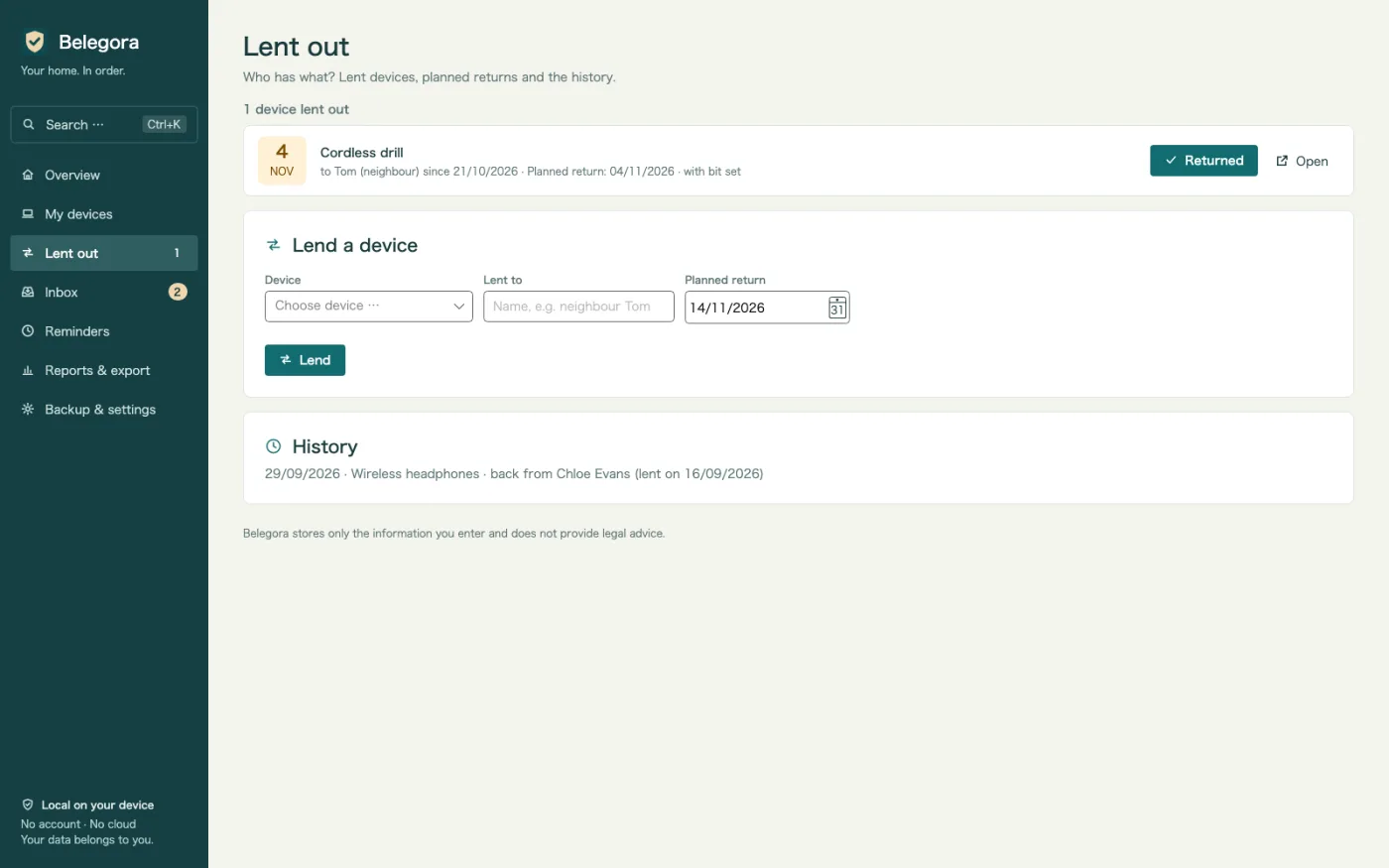
Who has the drill? Lent to, since when, planned return – with a reminder and history. Plus an overview once a week.
After water damage or a burglary: a report with cover page, list by room, totals, photos and receipt images. Choose any report language.
Bring your existing list with column mapping. Export to CSV, and dates to ICS for any calendar.
Backups including attachments run automatically. Restore shows a preview of what comes back.
No cloud, no account, no ads, no tracking. Your data stays on your PC.
Good to know: Belegora stores your details and dates and does not provide legal advice. Notifications appear while Belegora is running; it can optionally start with Windows. Text recognition uses Windows OCR and needs the matching Windows language pack.
Send a photo from your phone via QR code, drop a file into the inbox folder or import your Excel list.
Belegora suggests date, amount and retailer. Create the device, set a date and choose the lead time.
Belegora reminds you in time. If something happens, you create the insurance report in minutes.
€14.99
one-time, price in Germany
Available now in the Microsoft Store. Prices in other countries may differ.

Only you. Belegora sends no data to us or anyone else; there is no account and no telemetry. Phone upload works only within your local network.
Locally on your PC in the app data folder (%LOCALAPPDATA%\MinhStudios\Belegora), together with copies of your attachments and the automatic backups.
Create a backup in Belegora (a ZIP with all data and attachments), copy it to the new PC, install Belegora there and restore the backup. The preview shows what will be restored.
No. Belegora stores your details and dates and does not provide legal advice. Whether you have a claim is up to the retailer, manufacturer or insurer.
Notifications appear while Belegora is running; it can optionally start with Windows. You can also export dates as ICS to your calendar.